Julius Möller

Getting Started with Taidalos

Taidalos Quick Start Guide: Learn how to manage organizations, set up precise adverse media searches using specific language and subject parameters, and export professional AI-powered risk reports.

1. Create an Account

Go to accounts.taidalos.com and create a new account.

If you use an SSO provider (Google/Microsoft) and authentication is enabled, we recommend using it.
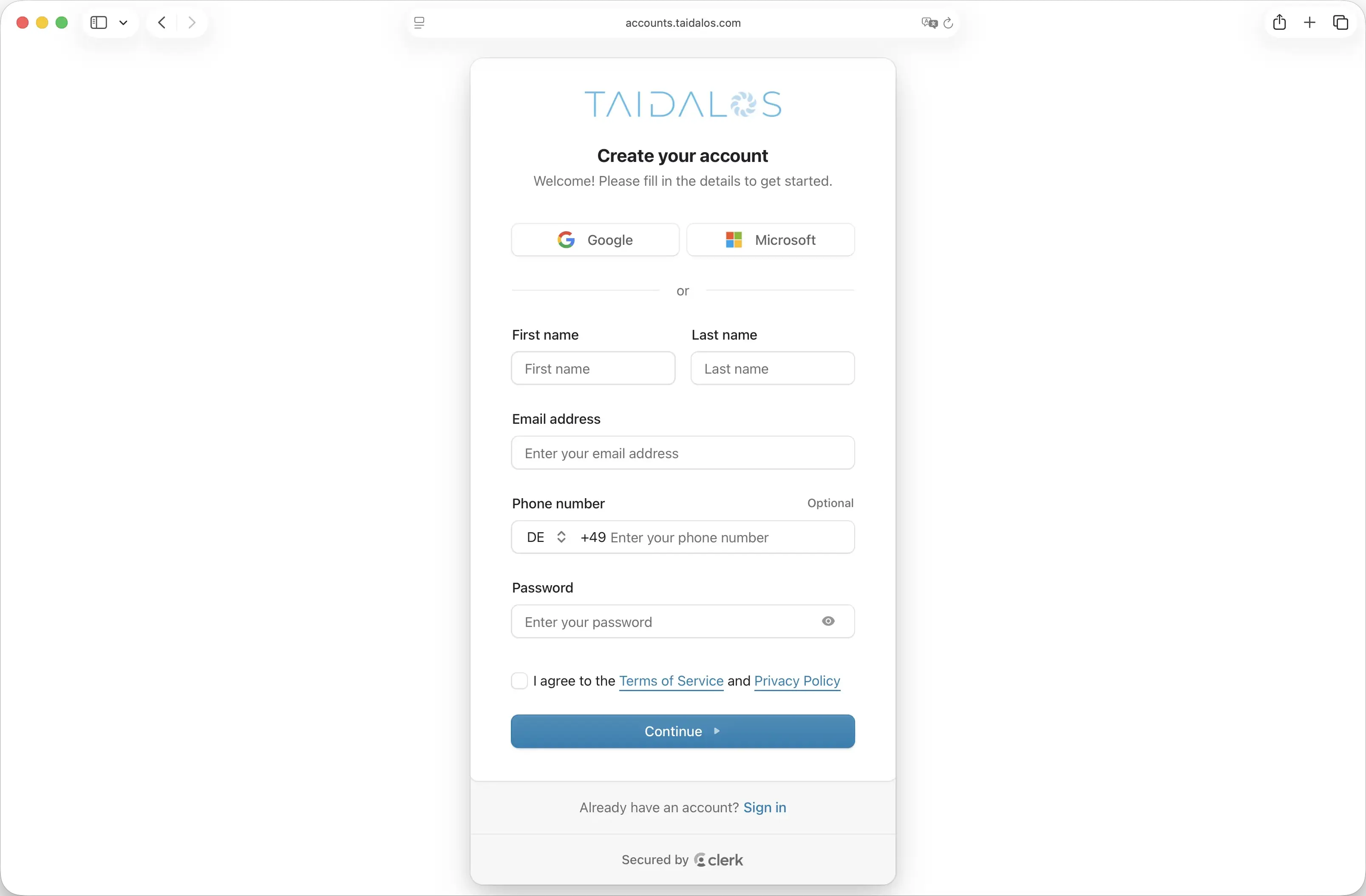
Screenshot of account creation

2. Create an Organization

An organization is a closed entity. When you create a new organization, only you have access to it and all the searches within it.

If you invite a colleague to the organization, they will have access to all past and future searches within this organization.
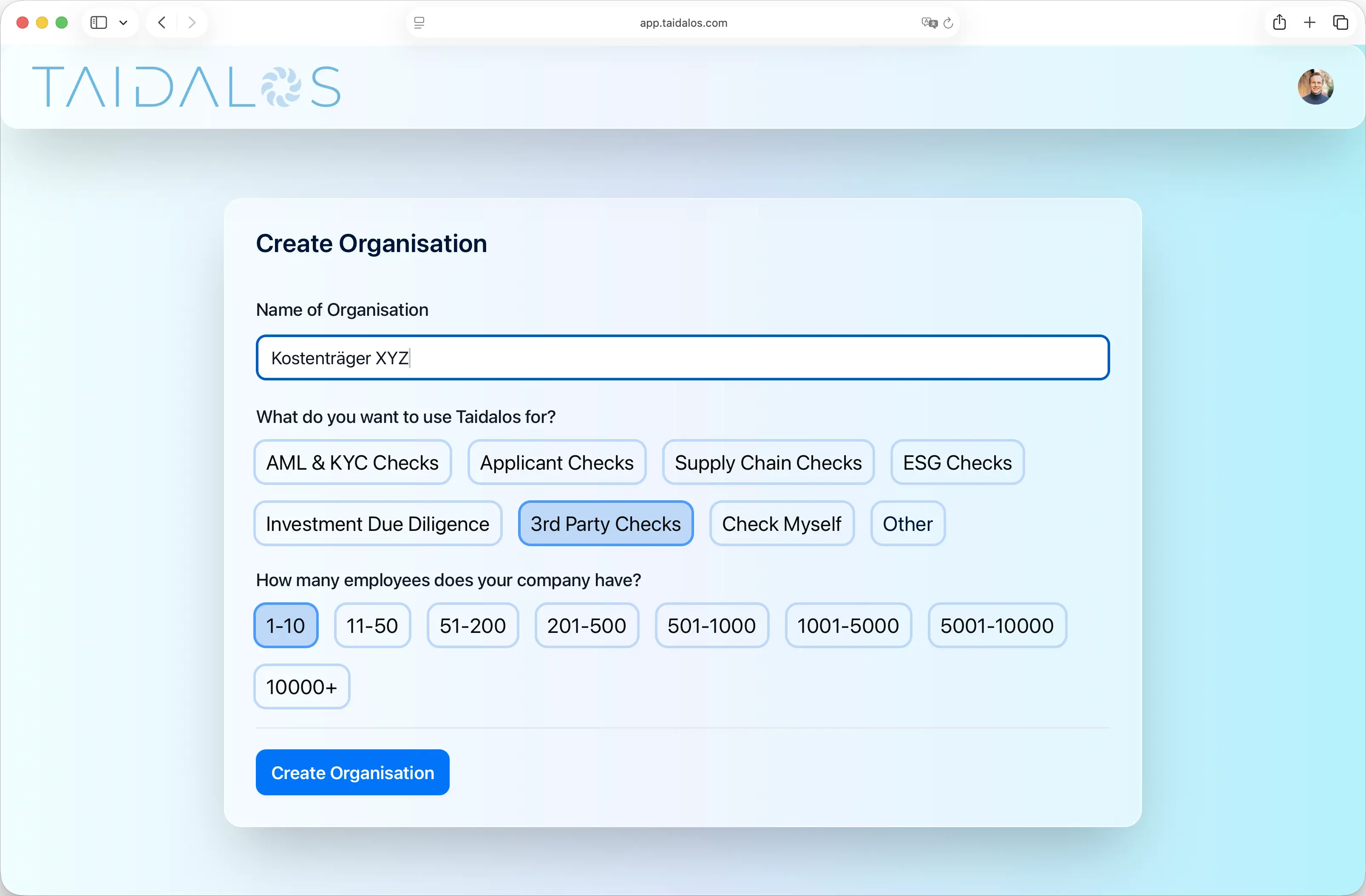
Screenshot New Organisation Creation

2.1 Invite Colleagues (optional)

If you add colleagues to the organization, they will have access to all past and future searches within this organization.
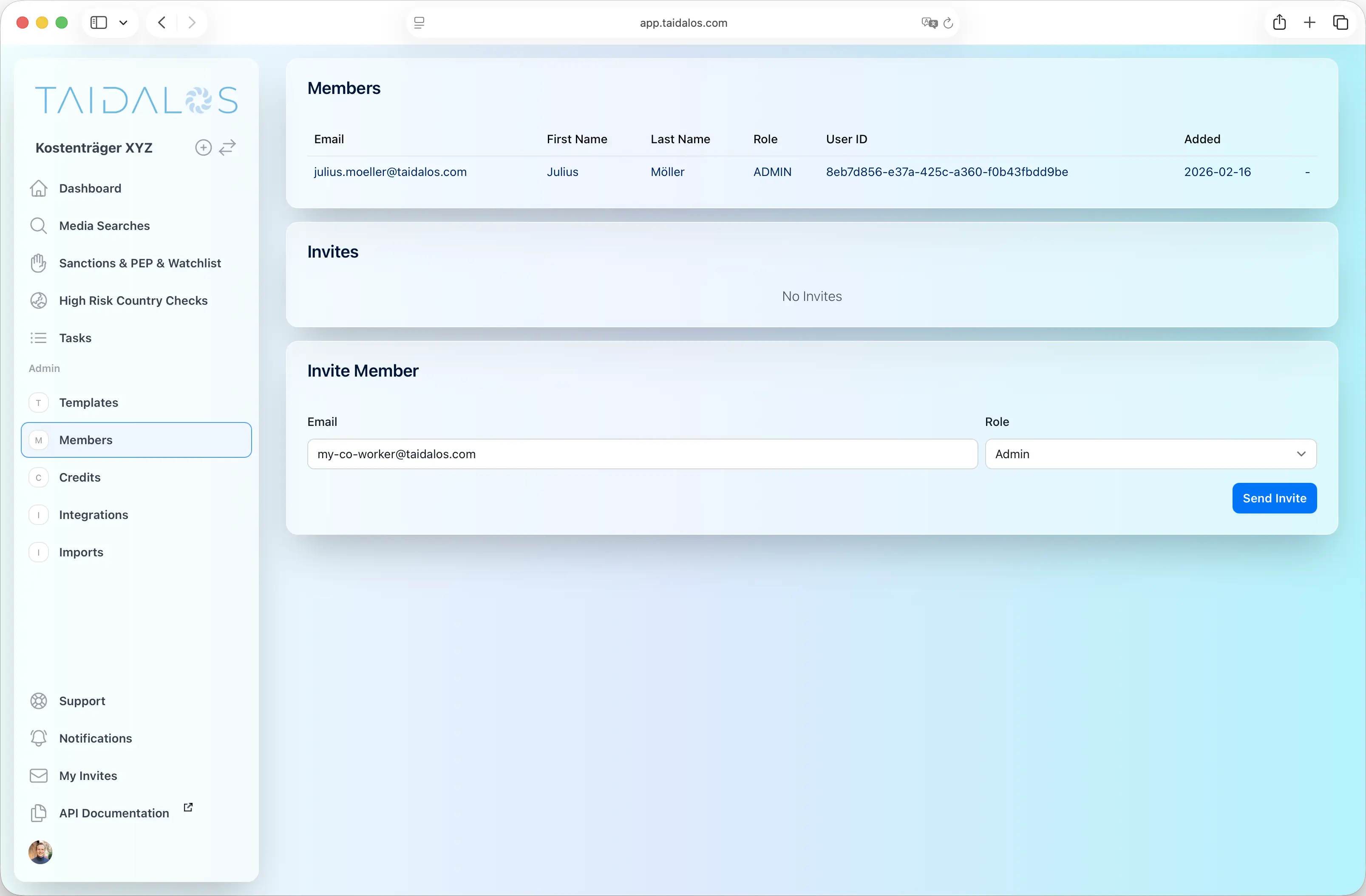
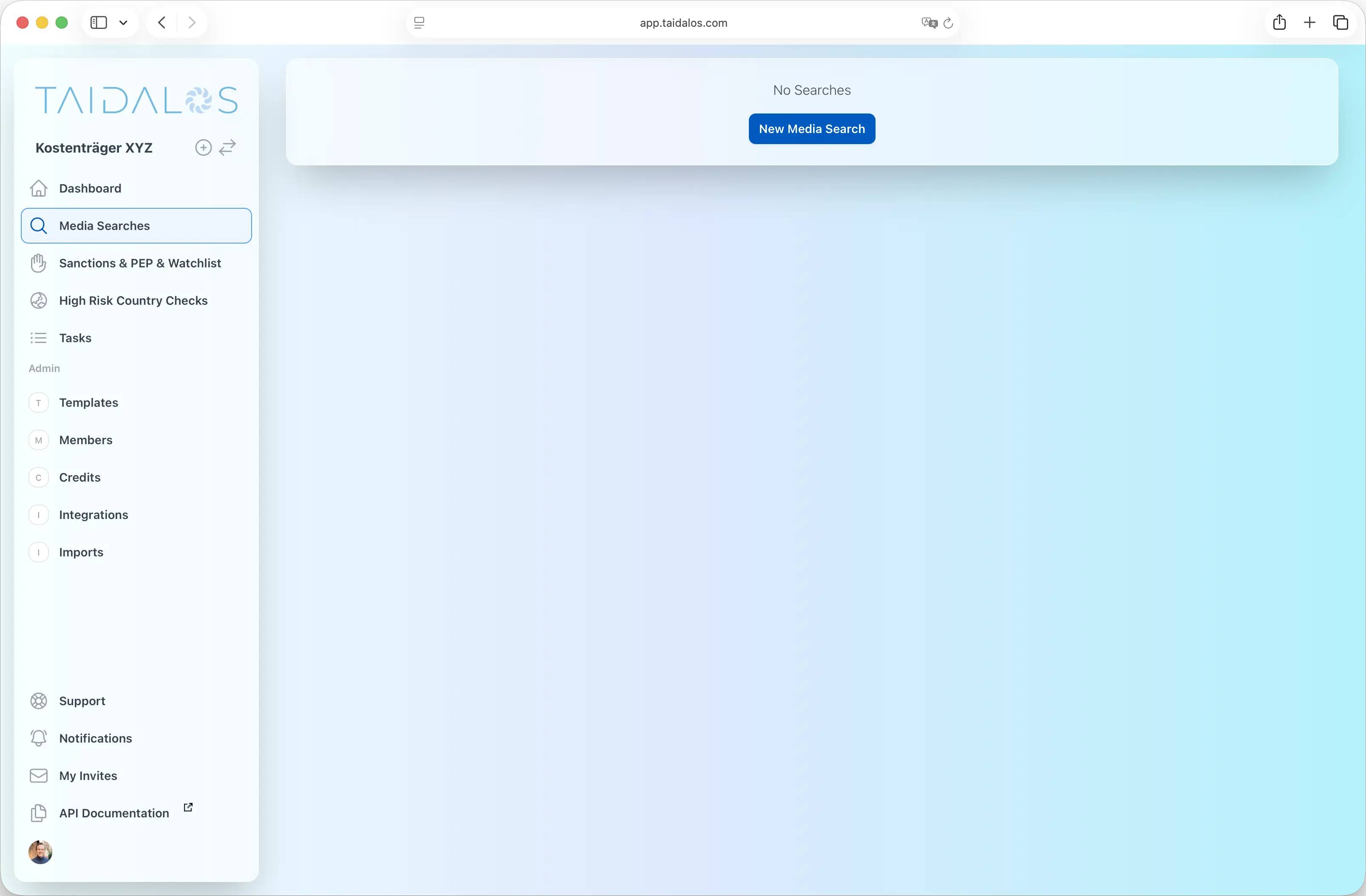
Screenshot of the invite feature

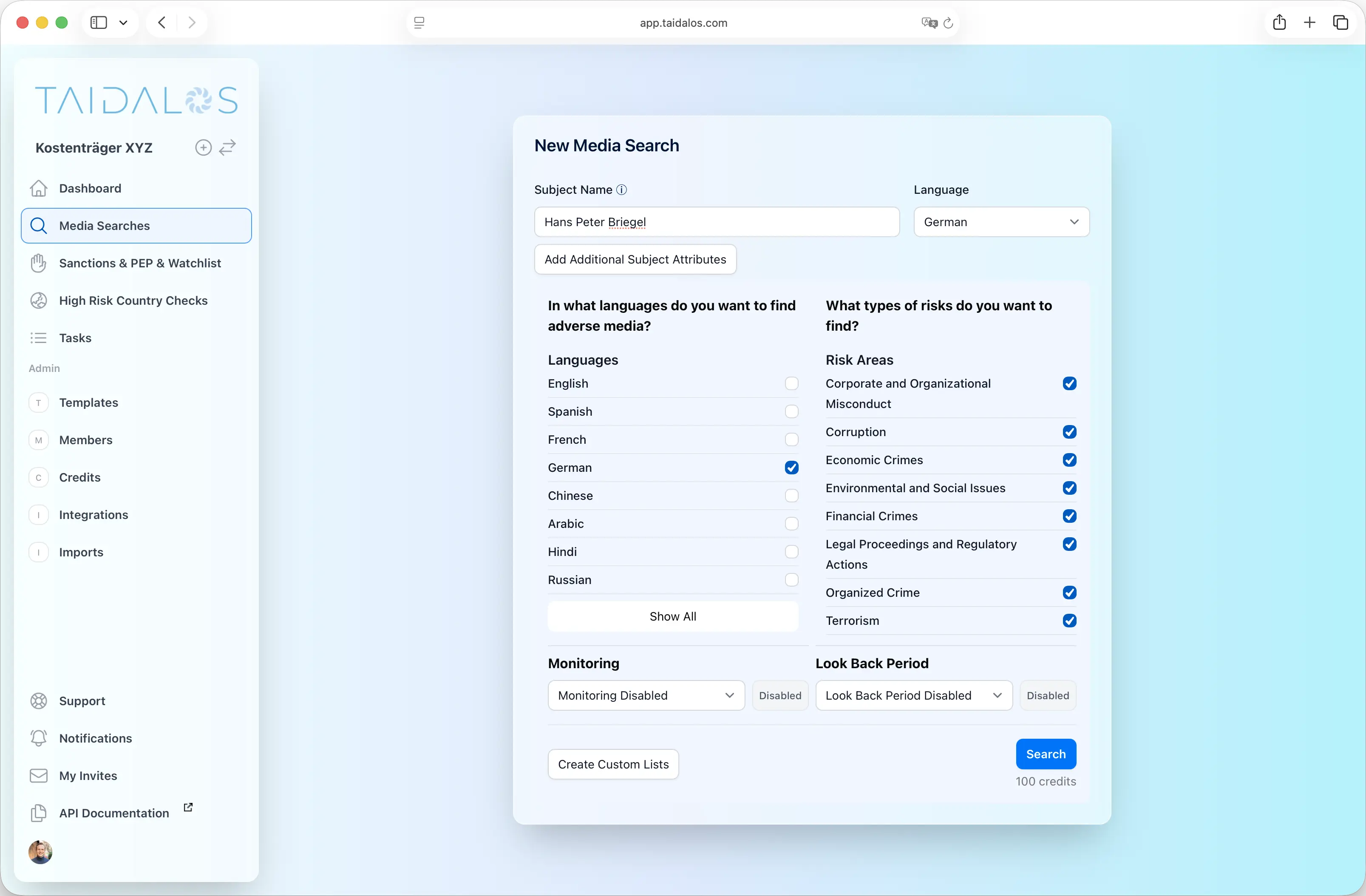
  1. Click on “Media Searches” in the navigation bar.
  2. Click on “New Media Search”.

Screenshot of the new search button

3.1 Define Search Criteria

  • Subject: The name of the company or person.
  • Language: The language of the report and the risk assessment.
  • Search Languages (Tick boxes): The languages in which media is likely to be available. We recommend using the national language of the subject (e.g., “German” for an Austrian or German subject). Additionally, we recommend adding “English” as a secondary language.

Screenshot of search settings

3.2 Define Additional Search Criteria (optional)

To further reduce false positives, you can define additional attributes for the subject, such as nationality, date of birth, location, industry, and more.

You can also expand the search by adding aliases.
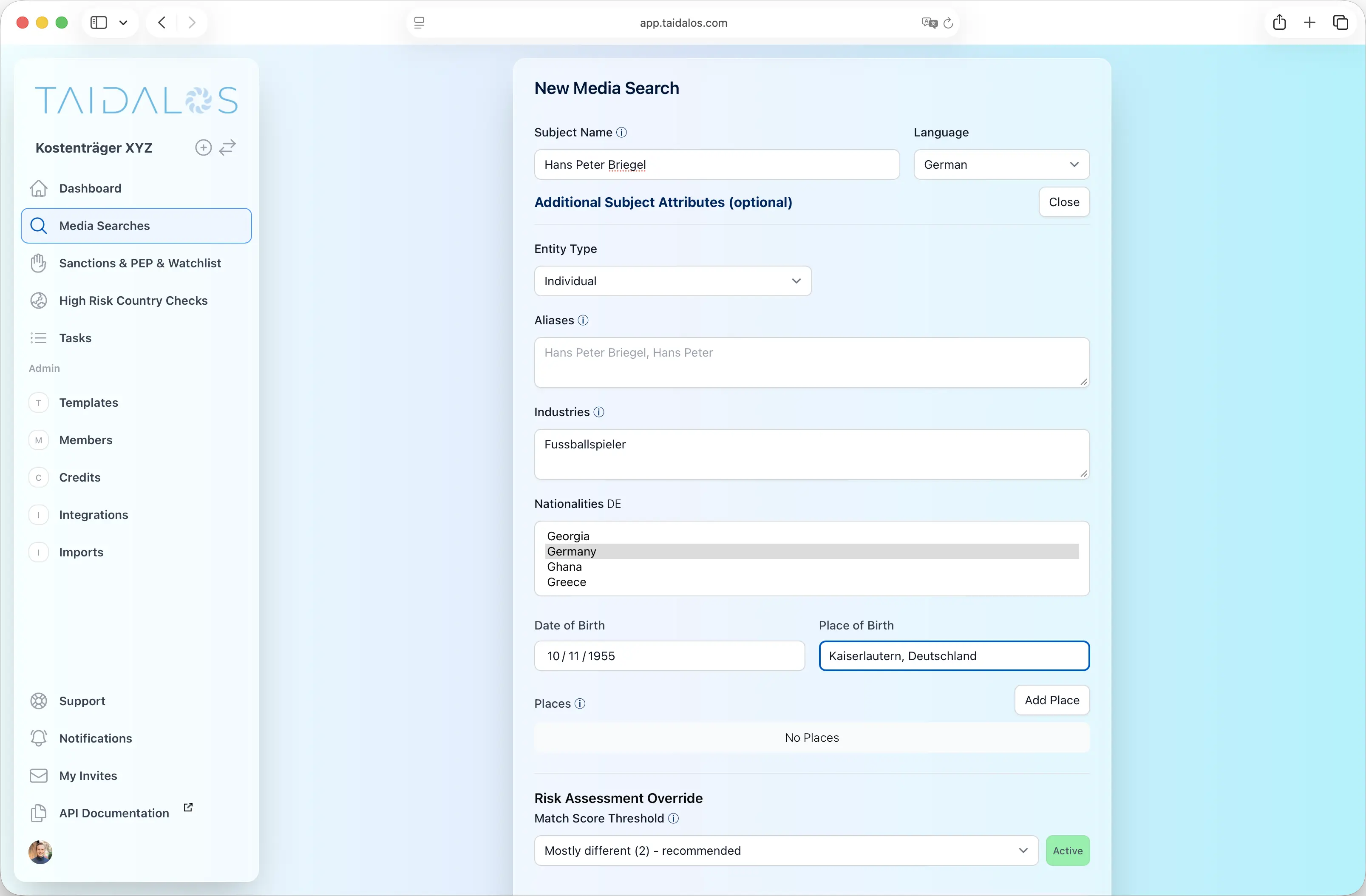
Screenshot of additional search criteria

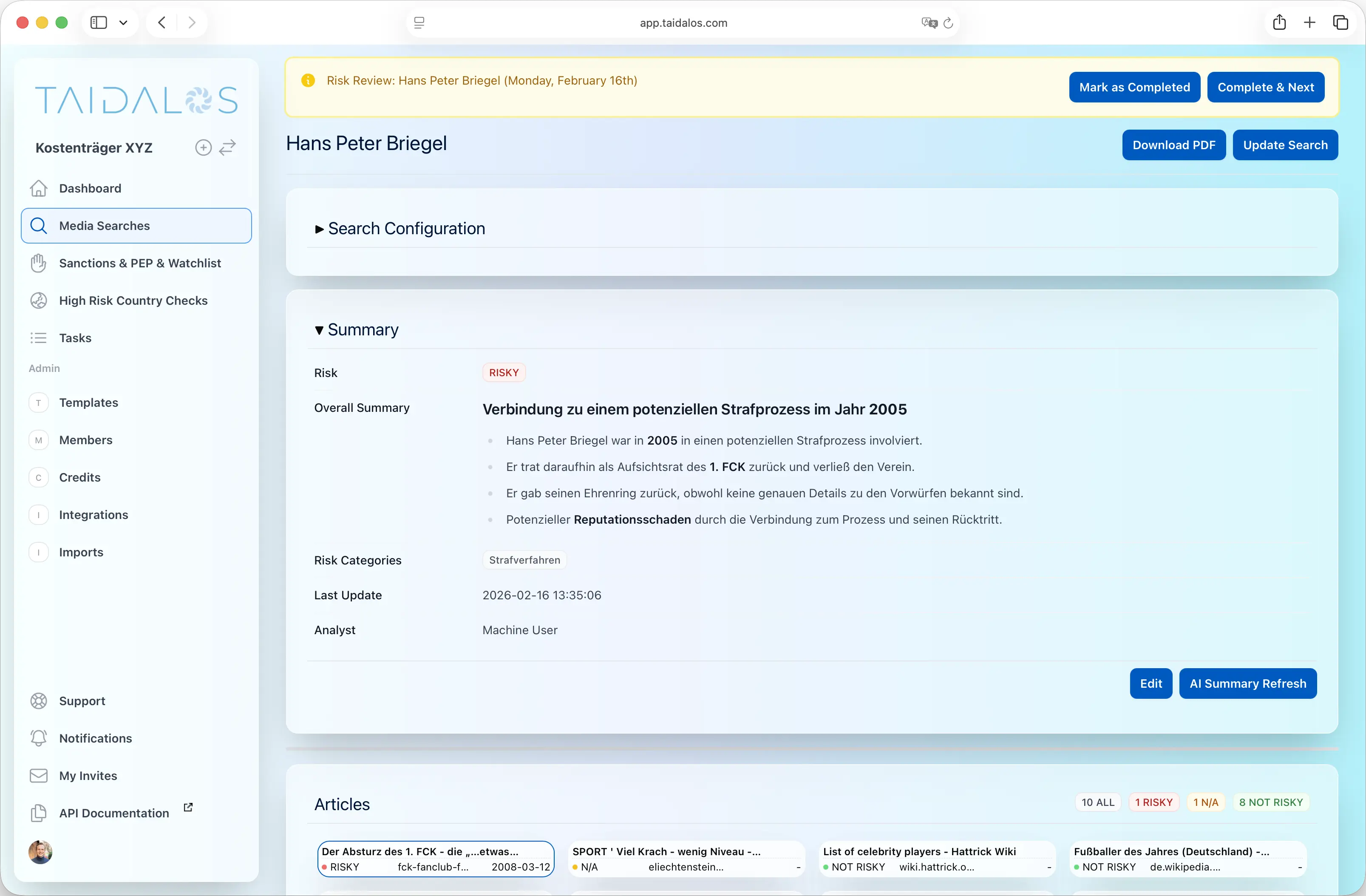
4. View / Export Results

It can take up to 2 minutes (in most cases significantly less) for the research to complete.

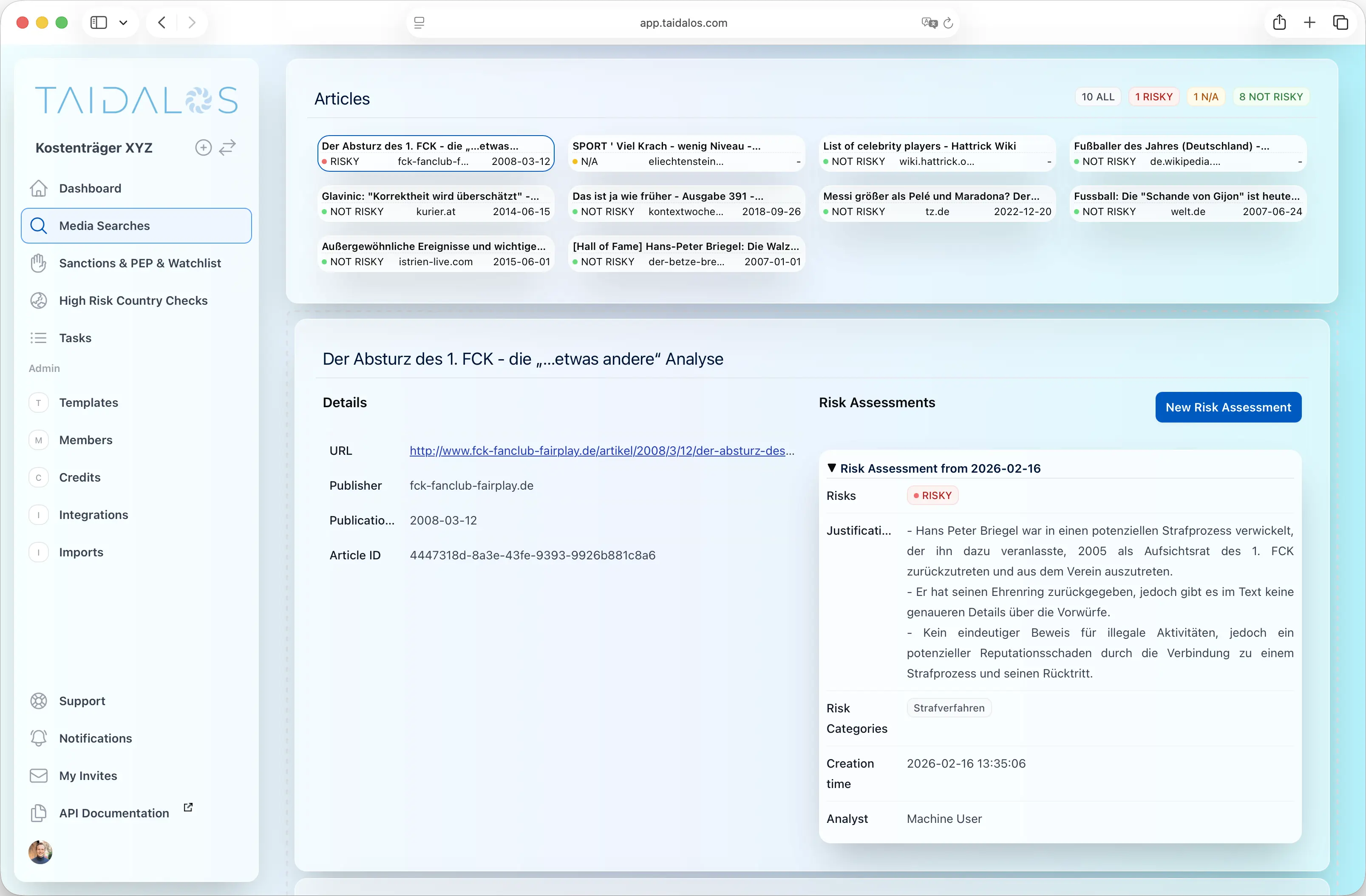
The Risk Report consists of three main parts:

  1. Search configuration
  2. Summary
  3. Articles with risk assessments and, if applicable, a “Subject Match” evaluation (if additional search criteria, such as nationality, were defined).

You have the following options:

  1. Export as PDF (button in the top right corner).
  2. Edit the Summary.
  3. Edit the risk assessment/article.
  4. Summary (AI) Refresh: A new summary is generated based on the articles marked as risky.

Screenshot of search results part 1

Screenshot of search results part 2

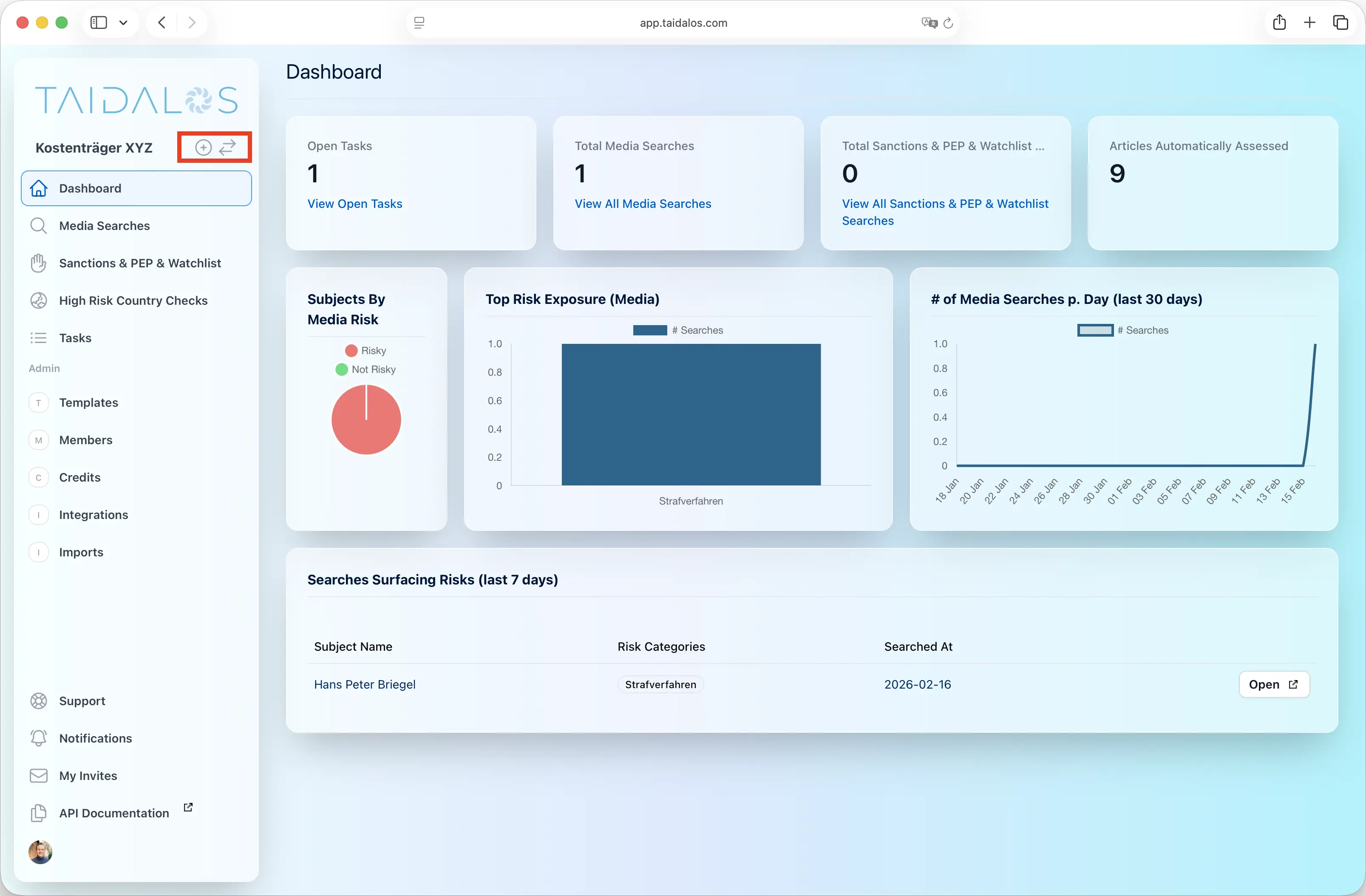
5. Create a new Organisation / Switch between organisations

You can create a new organisation or switch between organisations at any time. Create a new Organisation / Switch between organisations screenshot
10 Screenings For Free

10 screenings free
No credit card required